-
Shop
- Adidas
- Advanced Technologies
- AI Skills Mastery 2026 Collection
- Best-Sellers
- Car Accessories
- Dating & Social Skills
- Digital Resources
- AI Skills
- Beauty
- Budgeting & Saving
- Car Buying & Ownership
- Cozy Feast Collection
- Electronics & Technology
- Entrepreneurship & Business Growth
- Financial Education
- Financial Independence
- Financial Mindset & Psychology
- Goal Setting
- Hobbies
- Home Styling & Organization
- Leadership
- Mindfulness
- Mindset
- Parenting & Child Development
- Personal Style & Fashion
- Pet Lifestyle & Wellness
- Positive Thinking
- Sleep Improvement
- Smart Life with AI
- Stress Management & Relaxation
- Travel Planning
- Yoga & Fitness
- Yoga & Mind-Body Practices
- Education & Learning
- Family & Parenting
- Fashion
- Furniture
- Gadgets
- Health & Beauty
- Health & Wellness
- Home & Garden
- Jewelry
- Kids & Babies
- Kitchen
- Kitchen Best-Sellers
- Nike
- Patio, Lawn & Garden
- Personal Growth
- Pet Care
- Pet Supplies
- Pets
- Sport & Outdoors
- Travel
- Wealth
- YouTube Shorts Best-Sellers
- Popular
- Best deals
Wireless RF Detector to Find Hidden Cameras & Trackers
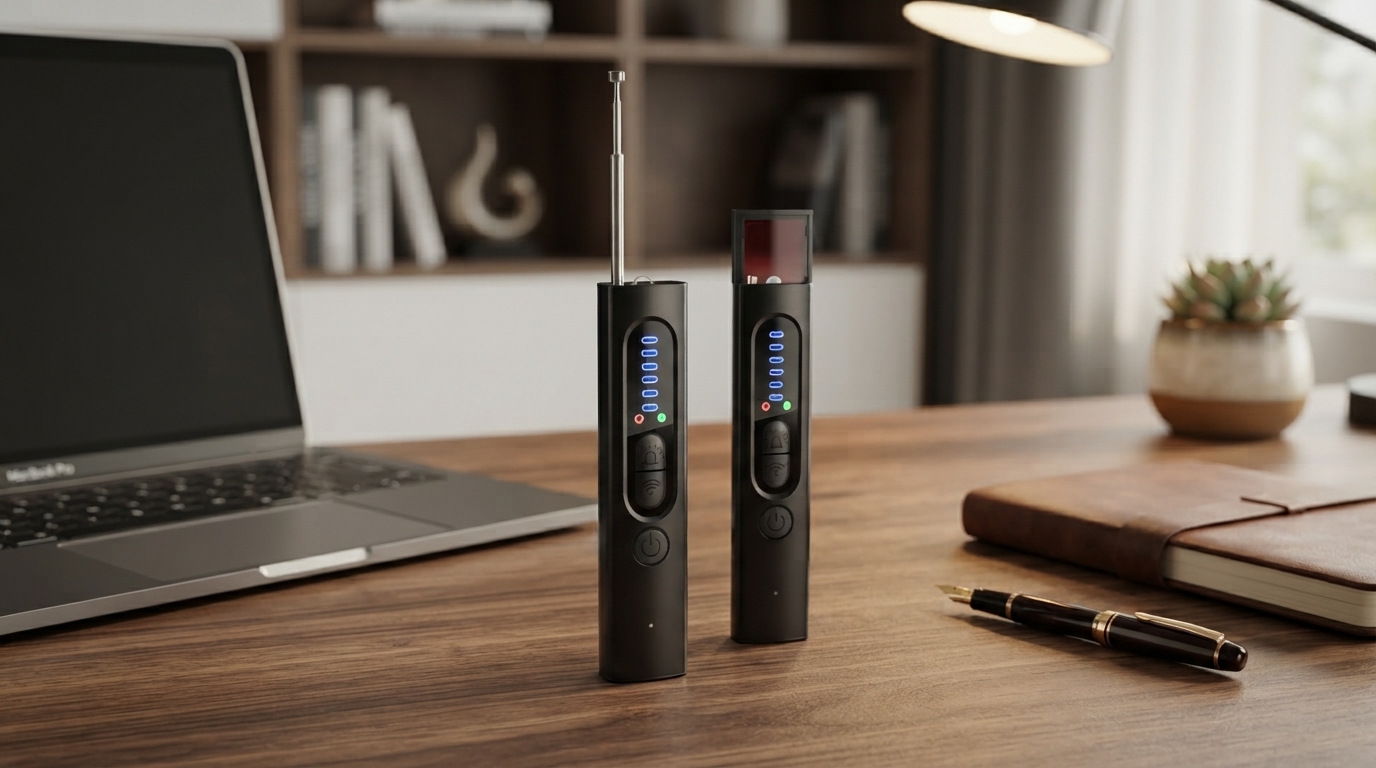
Wireless RF Signal Detector for Finding Hidden Cameras and Trackers
Privacy checks don’t need to be complicated. A wireless RF signal detector helps identify unexpected radio transmissions that can come from hidden cameras, GPS trackers, or other transmitting devices. Instead of guessing where to look, you can scan for stronger signal areas, then focus your physical inspection on the most likely hiding spots. This guide breaks down what RF detectors can (and can’t) do, where to scan, and how to use one effectively in homes, rentals, offices, and vehicles.
What an RF signal detector does
An RF (radio-frequency) signal detector senses radio activity in the surrounding area. When a device transmits—over Wi‑Fi, Bluetooth, cellular, or certain proprietary RF links—it creates measurable energy that a detector can pick up. The detector doesn’t “see” a camera lens or identify a brand; it helps you narrow down where a transmission is strongest.
- Detects radio-frequency activity in the surrounding area by sensing transmitted signals.
- Helps locate devices that actively transmit (some hidden cameras, many GPS trackers, some audio bugs).
- Provides a starting point for a physical inspection by narrowing down where a signal is strongest.
- Works best when the target device is powered on and transmitting.
Common situations where a scan is useful
- Short-term rentals and hotel rooms: quick check of alarm clocks, smoke detectors, outlets, vents, and decor.
- Offices and meeting spaces: check conference rooms, cabinets, and shared equipment areas.
- Vehicles: check the cabin and under-seat areas for transmitting trackers; then inspect exterior/undercarriage safely.
- Changing rooms or private spaces: scan around mirrors, hooks, small wall-mounted devices, and ceiling corners.
What it can find—and what it may miss
RF detectors are most helpful when a device is actually transmitting during your scan. That includes many Wi‑Fi cameras, Bluetooth trackers, and cellular GPS trackers that “phone home” periodically. However, some threats don’t generate a detectable signal at all times—so it’s important to use scanning as one layer of a broader check.
- Most effective for devices that emit RF signals during the scan (cellular, Wi‑Fi, Bluetooth, certain RF links).
- May not detect non-transmitting devices (offline recorders, wired cameras, dormant trackers, or devices with intermittent bursts).
- Signal reflections and interference can create false hotspots; confirm with a visual check.
- Dense electronics environments (routers, smart TVs, laptops) can mask weaker signals.
Detection expectations by device type
| Device type | When detection is likely | Extra confirmation step |
|---|---|---|
| Wi‑Fi hidden camera | When powered on and connected/transmitting | Inspect likely concealment points near strongest signal |
| Bluetooth tracker | When actively broadcasting nearby | Check item lists in Bluetooth settings; look for unknown devices |
| Cellular GPS tracker | When sending location updates (may be periodic) | Repeat scan over time; look for peak signal near vehicle/objects |
| Offline micro camera (SD card) | Often not detectable if not transmitting | Use visual inspection and lens/reflection checks |
How to scan a room effectively
A clean scan is consistent and repeatable. Your goal is to reduce background transmitters, move in a predictable pattern, and confirm a “hotspot” from more than one angle before you start opening things up.
- Reduce background noise: turn off or move away from known transmitters (phones, Wi‑Fi hotspots, smartwatches) when possible.
- Scan in a pattern: doorway perimeter first, then move inward in a grid, keeping the detector at a steady height.
- Use distance to pinpoint: as the signal rises, slow down and narrow the search to a smaller area to identify the hotspot.
- Check common hiding spots: smoke detectors, wall chargers, power strips, mirrors, vents, lamps, and shelf decor.
- Re-scan from another angle: confirm the hotspot is consistent and not just a reflection artifact.
For broader privacy context—especially when traveling with multiple connected devices—reviewing guidance like the Federal Trade Commission’s mobile device privacy resources can help you spot risky settings and behaviors that are easy to overlook.
How to scan a vehicle for a tracker
Using a detector without chasing false alarms
For organizations that want a more structured approach to security and privacy practices, the NIST overview of security and privacy controls is a useful reference for building repeatable checks and response steps.
Practical privacy habits that complement scanning
Recommended in-stock items for travel and spot checks
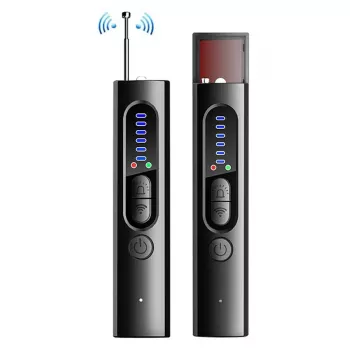
- Wireless RF Signal Detector – Anti Spy Camera & GPS Tracker Finder ($23.67): designed for quick checks in rooms, offices, and vehicles where unexpected transmitters may be present.
- Genuine Leather Women’s Crossbody Shoulder Bag – Minimalist Luxury Style ($67.47): an easy way to keep a compact travel privacy kit close without digging through luggage.
- Calvin Klein Jeans Women’s Black and Pink Printed Shoulder Bag ($85.01): a roomier carry option for everyday essentials plus small safety items when commuting or traveling.
FAQ
Can an RF detector find a hidden camera that isn’t connected to Wi‑Fi?
Only if the camera is transmitting over some radio link during your scan. Cameras that record to an SD card and don’t transmit may produce little to no detectable RF signal, so a careful visual inspection (placement, tiny apertures, reflections) is still important.
Why does the detector show strong signals near my phone or router?
Phones and routers are major RF sources because they constantly transmit and receive data. Turn them off, enable airplane mode, or move farther away to reduce interference and establish a more useful baseline for your scan.
How do you confirm a signal hotspot is a tracker and not interference?
Re-scan the area slowly to see if the reading forms a clear peak as you get closer, then scan again from another angle. Reduce nearby transmitters when possible and repeat at different times—trackers often transmit in bursts—then verify by physically inspecting the hotspot location.













Leave a comment